MacBook Pro vs MacBook Air for video editing: Compare performance, RAM, display, battery life, and price to find the right Mac for your needs. MacBook Pro vs MacBook Air for video editing is an important comparison for anyone planning to buy an Apple laptop for YouTube videos, professional projects, social media content, or filmmaking. Both models can handle video editing, but they are designed for different workloads and budgets. The MacBook Air is a practical choice for everyday creators who edit standard 1080p and 4K videos, while the MacBook Pro offers better sustained performance, a more advanced display, and additional features for demanding projects. The right choice depends on the type of footage you edit, the software you use, and how much performance you need.
MacBook Pro vs MacBook Air for Video Editing: Understanding the Difference
Choosing between these two laptops becomes easier when you understand how Apple designed them. The MacBook Air focuses on portability, battery efficiency, and everyday performance, making it attractive to students, bloggers, freelancers, and content creators. The MacBook Pro is built for people who regularly work with demanding applications and need consistent performance during longer editing sessions. Both machines use Apple silicon, which combines processing, graphics, and memory technologies into a single chip architecture. However, their cooling systems, available chip configurations, display capabilities, and connectivity options create meaningful differences when editing large video projects.
Is MacBook Air Good for Video Editing?
Yes, the MacBook Air is good for video editing, especially when working with 1080p footage, standard 4K videos, social media clips, and relatively simple timelines. Modern Apple silicon processors provide enough performance for many everyday editing tasks, including trimming clips, adding transitions, adjusting colors, recording voiceovers, and exporting finished videos. A MacBook Air can also handle more complicated projects, depending on its chip, memory, software, and footage. However, it does not have an internal cooling fan. During long periods of demanding work, heat can cause the processor to reduce its speed to manage temperatures. This makes the Air less suitable for people who regularly render complex projects or spend several hours editing high-resolution footage.
Who Should Buy a MacBook Air?
The MacBook Air makes sense for creators who want a lightweight laptop that can handle different tasks without paying extra for professional hardware. If you manage a YouTube channel, create Instagram Reels, edit travel videos, prepare marketing content, or occasionally work with 4K footage, it can be a very capable machine. It is also useful for bloggers and website owners who combine video production with writing, research, image editing, and everyday office work. Instead of spending money on a high-end processor you may rarely use, you can choose an Air with sufficient unified memory and storage for your actual workload.
Is MacBook Pro Better for Video Editing?
The MacBook Pro is generally better for demanding video editing because it offers more powerful chip options, active cooling, improved display technology, and greater connectivity. Its fans help move heat away from internal components, allowing the processor and graphics hardware to maintain performance during extended workloads. This matters when exporting long videos, applying multiple effects, working with several high-resolution video layers, or performing detailed color grading. Depending on the configuration, a MacBook Pro can also provide more memory bandwidth and graphics performance than an Air. These advantages make it a stronger option for professional editors, filmmakers, production teams, and creators who regularly work on complex projects.
Who Should Buy a MacBook Pro?
The MacBook Pro is a sensible investment if video editing is a major part of your daily work. People using Adobe Premiere Pro, DaVinci Resolve, and Final Cut Pro for professional projects may benefit from its additional processing power and cooling system. It is particularly useful when working with demanding effects, high-resolution footage, multicamera timelines, and longer exports. A professional editor may spend hours adjusting clips, reviewing playback, correcting colors, and rendering different versions of the same video. In that situation, consistent performance becomes more valuable than simply having a laptop that can complete a task once.
MacBook Pro vs MacBook Air: Performance Comparison
Performance is one of the biggest factors in this comparison, but it is important to look beyond processor names. A laptop’s real editing performance depends on its CPU, GPU, unified memory, storage speed, thermal design, and the software being used. The MacBook Air can feel extremely responsive when editing ordinary videos because many everyday tasks do not require maximum processing power. The MacBook Pro becomes more attractive when projects involve several demanding operations at once. For example, editing a simple talking-head video with background music is very different from managing multiple 4K camera angles, advanced effects, and detailed color adjustments. The more complicated the timeline becomes, the more useful the Pro’s additional hardware capabilities can be.
Processor Performance
The processor handles many important editing operations, including timeline calculations, background tasks, file processing, and video exports. Apple’s different chip generations and configurations offer different levels of performance, so comparing the exact chip is more useful than relying on the Air or Pro name alone. A MacBook Air with a newer generation chip may outperform an older MacBook Pro in certain tasks. Similarly, a MacBook Pro equipped with an M-series Pro or Max chip can provide significantly more processing and graphics resources than a standard Air configuration. Before buying, compare the actual processor generation and available CPU and GPU cores rather than assuming every Pro model is automatically faster than every Air model.
Graphics Performance
The graphics processor plays an important role in video editing because it helps handle visual effects, playback, rendering, and certain color-processing operations. Basic editing usually does not require an extremely powerful GPU, which is why many creators can work comfortably on a MacBook Air. However, demanding projects can benefit from the stronger graphics configurations available in MacBook Pro models. DaVinci Resolve users, in particular, may notice the value of additional GPU resources when working with complex color grades, noise reduction, effects, and high-resolution footage. The exact improvement depends on the project and software settings, but professional users generally have more room to grow with a higher-end Pro configuration.
4K Video Editing: MacBook Air vs MacBook Pro
Both laptops can edit 4K video, but the experience depends on the size and complexity of your project. A MacBook Air with a suitable Apple silicon chip and enough unified memory can handle ordinary 4K footage from smartphones, mirrorless cameras, and action cameras. It can be a good choice for YouTube creators who record in 4K but use relatively simple timelines. The MacBook Pro is more appropriate for editors who regularly combine multiple 4K clips, apply demanding effects, work with high-bitrate formats, or produce longer videos. Its active cooling can also help during repeated exports. If your work involves professional 4K production every day, spending more on a suitable Pro model may save time and reduce workflow limitations.
Can MacBook Air Edit 4K Videos Smoothly?
Yes, a properly configured MacBook Air can provide smooth 4K editing for many everyday projects. The experience improves when you use optimized media, avoid unnecessary background applications, and select editing settings that match your hardware. Some editing applications also support proxy files, which are lower-resolution copies of original footage that make timeline playback easier. This is particularly helpful when editing larger camera files or applying several effects. However, smooth playback is not guaranteed for every 4K format or project. Heavy color grading, demanding effects, and multiple video layers can increase hardware requirements considerably.
Is MacBook Pro Better for 4K Editing?
The MacBook Pro is usually the better option for frequent and demanding 4K editing because its stronger configurations and cooling system are better suited to sustained workloads. It provides more flexibility when working with large projects, multiple video tracks, complex transitions, and advanced visual effects. Editors who frequently export videos may also appreciate its ability to maintain performance during longer processing sessions. Still, buying the most expensive configuration is not necessary for every 4K creator. A standard 4K YouTube workflow may run perfectly well on a less expensive machine if the memory and storage are sufficient.
Which MacBook Is Better for Adobe Premiere Pro?
Adobe Premiere Pro works on both MacBook Air and MacBook Pro, but the best choice depends on the complexity of your editing workflow. Premiere Pro can handle ordinary cutting, transitions, audio adjustments, subtitles, and color correction on a suitable MacBook Air. For heavier timelines, advanced effects, and frequent exports, a MacBook Pro with a stronger chip and more unified memory offers additional flexibility. Editors should also consider the video codec because some formats are easier for Apple silicon hardware to process than others. If you primarily edit short promotional videos or YouTube content, an Air may be sufficient. If Premiere Pro is your main professional workspace, a Pro model is generally the safer long-term investment.
Which MacBook Is Better for DaVinci Resolve?
DaVinci Resolve can be demanding, especially when you use advanced color grading, Fusion effects, noise reduction, and high-resolution footage. Although the MacBook Air can run the application, its suitability depends on the complexity of your projects and the memory available. A MacBook Pro is usually a better choice for editors who spend significant time grading footage or working with complicated visual effects. Its higher-end GPU configurations can provide additional performance for GPU-intensive tasks, while active cooling helps during extended processing. If you only make basic edits and occasionally adjust colors, an Air can still be a reasonable starting point.
MacBook Pro vs MacBook Air for Final Cut Pro
Final Cut Pro is optimized for macOS and Apple silicon, which allows both laptop families to deliver a capable editing experience. The MacBook Air can handle everyday editing, including short films, YouTube videos, interviews, and social media content. Its lightweight design also makes it convenient for creators who edit while travelling. The MacBook Pro offers more headroom for larger timelines, demanding effects, and long editing sessions. If Final Cut Pro is your primary application and you regularly produce professional videos, the Pro is worth considering. For occasional editing and smaller projects, the Air can provide a very satisfying experience without the higher purchase price.
How Much RAM Do You Need for Video Editing?
Unified memory is one of the most important specifications to consider when buying a MacBook for video editing. Unlike traditional laptops, Apple silicon Macs use unified memory shared by the CPU and GPU, so your available memory supports several parts of the editing process. A machine with limited memory may struggle when you open large projects, work with multiple applications, or use demanding effects. For basic 1080p editing, 16GB can be workable, but 24GB provides more flexibility. For regular 4K editing, 24GB or 32GB is a sensible target, while professional projects may benefit from 48GB, 64GB, or more depending on the available configuration. Remember that unified memory is not user-upgradeable after purchase on these MacBooks, so choose carefully.
Is 16GB RAM Enough for Video Editing?
16GB of unified memory can be enough for beginners who edit short videos, create simple YouTube content, or work with standard 1080p footage. It can also handle some 4K projects when the timeline is not particularly complicated. However, memory requirements increase when you use large media files, several editing layers, advanced effects, and other applications at the same time. If you plan to keep your MacBook for several years, choosing 24GB or more can provide a more comfortable experience. Spending a little extra on memory at the beginning is often better than discovering that your laptop has become restrictive after your editing workload grows.
How Much Storage Do You Need?
Video files can consume storage surprisingly quickly, especially when recording in 4K or using high-bitrate camera formats. A short video project may include original footage, proxy files, audio recordings, exported versions, thumbnails, and temporary editing files. A 256GB SSD can become restrictive even for someone who only edits occasionally. For most content creators, 512GB is a more practical starting point, while 1TB provides additional room for active projects and media libraries. Professional editors who manage several large projects may prefer 2TB or more. You can also use a fast external SSD to store footage, backups, and completed projects, reducing pressure on your MacBook’s internal storage.
Display Quality: MacBook Pro vs MacBook Air
The display matters more than many first-time buyers realize because video editing involves spending long periods looking at footage, adjusting colors, reviewing details, and managing complicated timelines. MacBook Air models have excellent displays for everyday creative work, with sharp images and good color reproduction. The MacBook Pro generally offers a more advanced display experience, with higher brightness capabilities, stronger contrast, and ProMotion technology on supported models. This can make a noticeable difference when reviewing HDR footage or working in different lighting conditions. However, a premium laptop display does not automatically guarantee professional color accuracy in every situation. Editors who deliver color-critical projects should consider a properly calibrated external monitor as part of their workstation.
Battery Life: Which MacBook Lasts Longer?
Battery life is another reason people choose MacBooks over many traditional laptops. Both the Air and Pro are designed to provide strong battery performance, although actual results depend on the chip, screen brightness, software, and workload. The MacBook Air is particularly attractive for people who travel frequently or edit away from a desk because it is lightweight and does not have internal cooling fans. The MacBook Pro can also provide excellent battery life, but demanding editing, rendering, and graphics-intensive work can consume power quickly. If you regularly export large videos, keep in mind that battery estimates for general browsing are not the same as real-world performance during professional editing.
Cooling System: Why MacBook Pro Has an Advantage
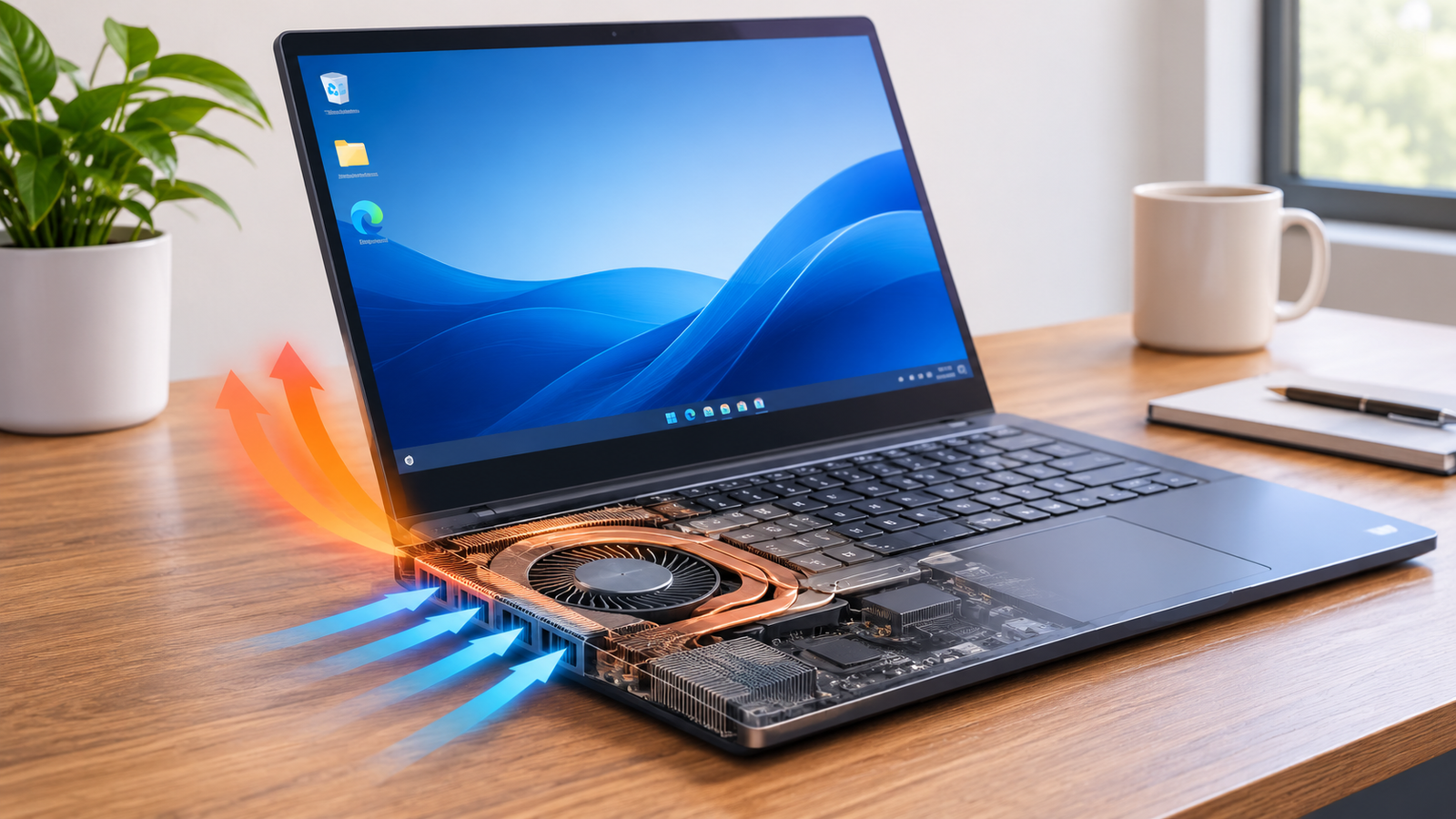
One of the most important differences between these laptops is their cooling design. The MacBook Air uses a fanless system, which keeps the machine quiet and helps maintain its slim construction. However, when the processor handles demanding work for extended periods, internal temperatures can rise and the system may reduce performance to control heat. The MacBook Pro includes active cooling fans that help manage heat during intensive tasks. This allows supported configurations to maintain higher performance for longer periods. The difference may not matter when editing a short social media clip, but it becomes more relevant when rendering long videos, processing effects, or working on several demanding projects throughout the day.
Portability and Weight: Which Is Easier to Carry?
The MacBook Air is designed for people who want a powerful laptop without carrying a heavy workstation everywhere. Its thin body and lightweight construction make it convenient for students, travelling creators, freelancers, and people who work from different locations. The MacBook Pro is generally heavier, particularly the 16-inch version, but its larger display and additional hardware features can make it more comfortable for professional editing. If you usually work at a desk, the extra weight may not be an issue. If you frequently edit videos in cafés, classrooms, airports, or while travelling, the Air may fit your routine better. Your preferred screen size also matters because a larger display provides more room for editing timelines and panels.
MacBook Air vs MacBook Pro: Price and Value for Money
Price is often the deciding factor, especially for beginners who are purchasing their first editing laptop. The MacBook Air generally costs less than a similarly positioned MacBook Pro, making it attractive for creators who need good performance without paying for professional features they may never use. The MacBook Pro costs more, but its advanced display, active cooling, additional ports, and higher-end chip options can justify the difference for demanding workloads. Instead of automatically buying the most expensive laptop, consider how frequently you edit, what resolution you work with, and whether your projects require advanced effects. A well-configured Air can offer better value than an unnecessarily powerful Pro if your editing requirements are relatively simple.
Best MacBook Configurations for Video Editing
Choosing the right configuration can make a bigger difference to your experience than simply choosing between Air and Pro. A newer processor with sufficient unified memory and storage is often more useful than purchasing an older premium model with limited resources. For casual creators, a MacBook Air with 16GB or 24GB of memory and at least 512GB of storage can be a sensible purchase. Regular 4K editors should consider 24GB or 32GB of memory and 1TB of storage where possible. Professional users may benefit from a MacBook Pro with an M-series Pro or Max chip, 48GB or more of unified memory, and a larger SSD. Availability varies by generation and model, so check Apple’s current configuration options before buying.
Best Budget MacBook for Beginners
A MacBook Air with a modern Apple silicon chip is a strong starting point for beginners who want to learn video editing without spending too much. It can handle common editing tasks, basic color correction, audio adjustments, and short-form content creation. A configuration with 24GB of unified memory and 512GB of storage is a particularly attractive balance if your budget allows it. You can also invest in an external SSD later when your footage collection grows. This approach gives you a capable editing machine while keeping more of your budget available for accessories, cameras, microphones, and other creative equipment.
Best MacBook for Professional Video Editors
For professional editing, a MacBook Pro with an M-series Pro or Max chip is generally the stronger choice. These configurations are better suited to complex timelines, demanding effects, larger media files, and long rendering sessions. A 14-inch model is easier to carry, while the 16-inch version provides more screen space for working with multiple editing panels. Memory requirements depend on your software and projects, but choosing 48GB or more can make sense for demanding professional workflows when supported by the selected model. A larger internal SSD is also useful if you frequently work with multiple projects without relying entirely on external storage.
Common Mistakes to Avoid When Buying a MacBook for Video Editing
Many buyers focus entirely on the processor and forget about memory, storage, cooling, and their actual editing requirements. Another common mistake is purchasing a machine with too little storage because the starting price looks attractive. Video projects can quickly fill a small SSD, creating unnecessary file-management problems. Some buyers also assume that every MacBook Pro is automatically faster than every MacBook Air, even when comparing different chip generations. It is better to compare the exact configurations rather than relying on product names. Finally, avoid spending extra money on specifications you are unlikely to use. A laptop should match your current workload while leaving enough room for reasonable growth.
Is a Used MacBook Pro Better Than a New MacBook Air?
A used MacBook Pro can sometimes offer better hardware features than a new entry-level MacBook Air at a similar price, but the decision requires careful checking. An older Pro may include active cooling, a better display, and additional ports, while a newer Air may have a more efficient processor and longer software support ahead of it. Before purchasing a used machine, check its battery health, cycle count, physical condition, display, keyboard, ports, and activation status. Also confirm the exact chip, unified memory, and SSD capacity. A heavily used professional laptop with a worn battery may not be a better deal than a new Air. Compare the actual condition and specifications instead of assuming that a higher original price means a better purchase today.
Tips to Improve Video Editing Performance on Any MacBook
You can improve your editing experience by making a few practical changes, regardless of which MacBook you own. Keep enough free storage available, close applications you are not using, and organize project files before starting a large edit. Use proxy media when working with demanding footage, especially if timeline playback becomes slow. Keep your editing software updated and store important project backups on a separate drive. You should also avoid placing a MacBook on soft surfaces that block ventilation, particularly during long editing sessions. These habits cannot replace stronger hardware, but they can help your existing laptop work more efficiently and reduce unnecessary interruptions.
Conclusion
The decision between these two laptops comes down to how seriously you approach video editing. The MacBook Air is more than capable for beginners, bloggers, YouTubers, and social media creators who work with standard 1080p and 4K footage. It offers excellent portability, good battery life, and enough performance for many everyday creative tasks. The MacBook Pro is the better long-term investment for professional editors who regularly handle complex timelines, advanced color grading, demanding effects, and extended rendering sessions. If your budget allows it and video editing is your main profession, choose the MacBook Pro. If you want an affordable, lightweight machine for everyday content creation, the MacBook Air is a smart purchase. Ultimately, buy the configuration that matches your workload rather than paying extra for performance you may never need.
Frequently Asked Questions
1. Is MacBook Air powerful enough for 4K video editing?
Yes, a modern MacBook Air with an appropriate Apple silicon chip and sufficient unified memory can edit standard 4K footage. It works well for many YouTube videos, social media projects, and personal filmmaking tasks. However, demanding effects and complicated timelines may perform better on a MacBook Pro.
2. Is MacBook Pro worth the extra money for video editing?
The MacBook Pro is worth the additional cost if you regularly edit professional videos, work with demanding effects, or export large projects. Its active cooling, stronger chip configurations, and advanced display make it more suitable for intensive workloads. Casual creators may not need these additional features.
3. How much RAM do I need for video editing on a MacBook?
For basic editing, 16GB of unified memory can be sufficient, although 24GB provides more flexibility. Regular 4K editors should consider 24GB or 32GB, while demanding professional workflows may benefit from 48GB or more. Your software and project complexity also influence memory requirements.
4. Can I use Adobe Premiere Pro on MacBook Air?
Yes, Adobe Premiere Pro runs on compatible MacBook Air models and can handle everyday editing tasks. You can create YouTube videos, cut footage, add transitions, adjust audio, and export finished projects. For demanding professional timelines, a MacBook Pro is generally a better option.
5. Which MacBook is better for DaVinci Resolve?
The MacBook Pro is generally better for demanding DaVinci Resolve projects because its higher-end configurations offer more graphics performance and active cooling. However, the MacBook Air can handle basic editing and color adjustments, making it suitable for beginners and casual creators.
Read also: Grok Bot Features, Uses, and How It Works