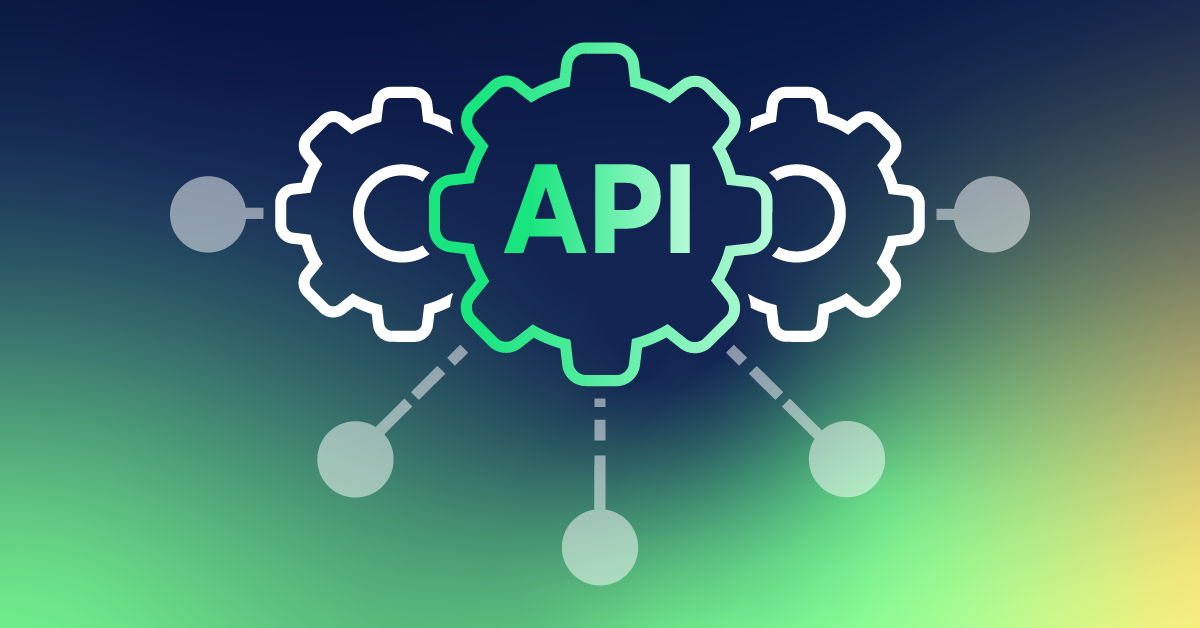
Generative AI has outgrown mere prompt-and-response applications. Contemporary creative teams should produce images, video, audio, copy, variations, product material, and campaign ideas and maintain the whole production process systematically. The question of which AI model to use is no longer the actual decision. Whether to construct your own workflow with generative AI APIs or purchase a creative platform that already integrates models, assets, prompts, automation, and collaboration.
In the case of a small development team, APIs can offer spectacular control. In the case of agencies, marketers, filmmakers, designers, and e-commerce teams that have to create assets that can be used over and over again, however, the engineering needed to tie those APIs together can become a project in its own right. I would assess the choice regarding the complexity of workflow, choice of models, repeatability, collaboration, automation, and the degree of infrastructure that your team really desires to upkeep.
AI Creative Platforms vs AI APIs at a Glance
| Option | Best for | Image | Video | Audio | Text | Workflow layer | Collaboration | API/Developer access |
| Melius | Creative teams and repeatable production | ✓ | ✓ | ✓ | ✓ | Visual node canvas + agents | ✓ | API, MCP, CLI |
| API-first providers | Developers building custom products | ✓ | ✓ | ✓* | ✓ | Build it yourself | Custom | ✓ |
| Single-model APIs | Teams centered on one model family | Depends on provider | Depends on provider | Depends on provider | ✓ | Custom | Custom | ✓ |
| Self-hosted/open models | Maximum technical control | ✓ | ✓ | Varies | ✓ | Fully custom | Fully custom | ✓ |
Functionality is limited to the API provider and model of choice.
The major difference is that an API provides you with generation access. An innovative platform introduces the production layer on top of that generation.
1. Melius
integrates image, video, audio and text creation into a single creative environment. Melius is less focused on treating each generation as a discrete prompt, but rather a visual node-based canvas where prompts, assets, models, and production steps can be linked to an existing workflow.
Such difference is important in case of a project with more than one generation. A product campaign could begin with a product image, develop a few visual directions, transform chosen images into video, add voice or sound, develop copy and produce various aspect ratios. It becomes inefficient to recreate such steps manually in different AI tools.
Melius also offers access to various AI models, enabling users to direct various steps to various models and compare results. Its agent, Mel, is capable of generating and executing workflows based on a natural-language brief with the underlying canvas retaining the steps visible and editable.
Pros
– Integrates image, video, audio and text workflows within a single creative place.
– Provides a node-based canvas to interconnect prompts, references, generated assets, and production steps.
– Does not impose a single AI model on all tasks but supports numerous models.
– Transforms successful workflows into repeatable processes by teams.
– Favors the reusable agent skills and creative agents.
– Enables teamwork by enabling workspaces and multiplayer workflows.
– Asks external access via MCP, API, CLI, and Slack-based workflows.
– Professional capabilities such as artificial intelligence (AI) search, prompt improvement, Slack agent access, and custom ElevenLabs voice support.
– Applications of fits are advertising, social content, storyboards, product visuals, campaign variations, filmmaking, and e-commerce assets.
Cons
A visual workflow may not be enough to learn without in case of a technically challenging project.
– It is also true that credit consumption can be different based on the generation under use, and thus a team must budget based on actual outputs as opposed to merely comparing monthly credit numbers.
– AI agents may facilitate workflow constructing, but human inspection is significant to brand quality, aesthetic coherence and ultimate creative choices.
– Teams that require full control over infrastructure, model deployment, or application architecture might still use direct APIs.
In teams that generate creative assets time and again, Melius would transform the question of the model to be called to the question of how this whole production process ought to be. That comes in handy in case the bottleneck is workflow management as opposed to having access to a specific model.
Current pricing
The following are the prices that Melius currently charges per annum as of now:
– Creator: $17/month, 20,000 credits
– Growth: $43/month, 50,000 credits
– Professional: 93/month, 110,000 credits and an opportunity to extend the number up to 300,000 credits.
– Team: $56 seat/month, 70,000 credits/seat and shared team credits.
– Business: Custom credits and prices.
A free trial is also offered on the present day pricing page. Professional has features like a maximum of 10 agent skills, Slack agent access, AI search, and immediate enhancement.
Most suitable: agencies, marketers, designers, filmmakers, e-commerce teams, and creative departments, requiring repeatable multimodal production.
2. API-First Products
An API-first approach starts from the opposite direction. The development team does not take an existing creative workspace, instead, building the workflow itself.
It can refer to integrating image-generation APIs, video models, language models, storage, authentication, queues, databases, asset management, review interfaces, and analytics into a single application.
The benefit is control. You control the operation of the user interface, which models are made visible, what requests are sent where, how assets are stored, and how the system interacts with your existing software.
Engineering effort is the trade-off.
Pros
– Complete control over the product experience.
– AI generation can be easily incorporated into an existing SaaS solution.
– The decision on which model to use to process a request can be made by custom business logic.
– Permissions, usage, authentication, and billing can be similar to your existing infrastructure.
– Fitted to very specialized workflows.
Cons
– This is the workflow layer that your team needs to develop.
Engineering may be needed to make changes to the model.
– You must deal with failures, queues, retries and storage, permissions and monitoring.
– Creative collaboration features need to be constructed in general.
– The asset management and the prompt may get disjointed unless it is architected.
This path can be rational to the developers of an AI-native product. To a creative team that just wishes to generate campaign assets, construction of the entire orchestration layer can resolve a problem that the team did not desire to possess.
Best fit: startups and engineering teams where AI-generation is a component of the product.
Information on prices and plans.
The API-first services do not have a single subscription to a creative-workspace and are often priced based on consumption. Prices are based on the model chosen, input, output and resolution and duration of time, tokens and other parameters.
3. fal
fal is a sample of an API-based strategy that is based on the access to a wide range of generative models. It has image and video model output-based pricing in its current catalog and model-specific inputs and generation choices are revealed in its documentation.
This comes in handy when developers wish to test a number of models without having to integrate each provider separately.
As an example, a team can compare various image-to-video models via API calls and compare their performance, price, resolution, audio capabilities, and reference-image performance.
Pros
– Wide variety of generative models.
– Consumption-based pricing.
– Developer-oriented APIs.
– Can be used to do programmatic comparison of models.
– Facilitates the image-to-video and video-generation processes.
Cons
– The developer is yet to create the surrounding application.
– There is variability in model inputs and capabilities.
– API pricing does not mean a completed creative-production budget.
Additional tooling is needed to support collaboration, asset organization, review and workflow UX.
fal is good when the API itself is the required product layer. It is not as appealing when you have to plan a creative staff and not access to models as your chief problem.
Price and plan information
fal says that model APIs are usually billed using the unit of output of the chosen model. Its existing pricing models are video billed by generated second and image models billed by image or megapixel.
Best fit: developers and technical teams benchmarking or integrating various generative models.
4. Replicate
Replicate is also an API-first platform, where a collection of models can be accessed via APIs. It offers image, video, language, and other AI models in its official model collection and sets its prices depending on the model.
A helpful difference is that Replicate has formalized models that have fixed APIs and consistent pricing indicators. Different models may be used to implement various billing mechanisms based on the underlying infrastructure.
Pros
– Large selection of models.
– Developer-friendly API approach.
– Can be used in product development and prototyping.
– Stable API interfaces are offered by official models.
Pay-as-you-use pricing is found to be effective with variable workloads.
Cons
– It is more of a developer infrastructure and not a full-fledged creative collaboration environment.
– You must develop your own production interface.
– Simple cross-model budgeting is challenging with model-specific pricing.
– The management of assets and creative evaluation are under your responsibility.
Replicate comes in handy especially when your developers desire to exercise control over the way in which models are presented to users. It is not so much of a turnkey solution to an agency requiring briefs, assets, workflow graphs, collaboration and reusable creative processes.
Plan and price details.
Replicate claims that the billing method of the model is paid by the users. These include per-image and per-second pricing of video and others are charged based on hardware usage and processing time.
Best fit: developers who create their own AI programs and teams that test various models.
5. Google Gemini API
The Gemini API offers multimodal models and usage-based pricing to developers of Google. Its documentation has text, image, video and audio-related features based on the model and endpoint used.
It is not an out-of-the-box creative production canvas. The capability to transform Google models into applications and automated processes is it.
Pros
– Powerful API ecosystems in multimedia.
– Can be used in programs which require access to model programmatically.
– Usage-based pricing.
– Can be used by developers of custom AI experiences.
– Can join a bigger Google Cloud-based architecture.
Cons
– The workflow design is owned by the developer.
– It is not a creative team interface as the main product.
– Model-based pricing and constraints have to be carefully budgeted.
– Cooperation and property control should be addressed in other places.
Direct API access can be a reasonable stack element in case your organization already has engineering infrastructure around Google services. However, the API does not eliminate the necessity to design the application on top of it.
Plan and price details.
Google offers free and paid options at the supported models of the Gemini API with pricing depending on model, input modality, output modality and processing mode.
Best fit: developers creating applications based on the multimodal models of Google.
Platform vs API: What You Are in Fact Purchasing.
The simplest form of interpretation of the difference is to distinguish between model access and workflow infrastructure.
A programmable interface of an AI capability is provided through an API.
A creative platform provides you with a platform on which various AI capabilities can integrate into a repeatable production process.
Consider a social advertising campaign.
Your architecture could resemble the following with a set of API:
Shortcut to database to prompt generator to image API to storage to video API to audio API to review interface to export.
Using a visual creative workspace, the identical procedure can be a graph:
Shortcut to references to generation to changes to video to audio to review final assets.
Both methods are not necessarily appropriate to all organizations. Who owns the complexity is the difference.
When do you need to purchase a creative platform?
An attractive creative platform is achieved when the workflow is familiar and the team desires to repeat it.
It is better to buy than to build when:
– Developers should not rely on creatives to work directly with AI.
– There are multiple modalities in projects.
– Teams repeatedly perform the same production steps.
– You desire reusable workflows.
– Work has to be checked or changed by a number of people.
– You do not wish to have a number of integrations to compare models.
– It is becoming challenging to organize assets.
– You desire agents to automate sections of production.
– Your group does not desire to sustain AI infrastructure.
As an example, an e-commerce team can have a repeatable workflow to convert a product reference into lifestyle images, short videos, social crops, and variations of a campaign. That workflow is valuable and not just because the next time you need a prompt, you can start with a blank one.
In What situations should you build with APIs?
The concept of building with APIs is even more compelling when AI is included in a software product and not merely as a production tool.
Use API-first when:
– AI generation is integrated within your application.
– You require a custom authentication and permissions.
– You require proprietary business logic.
– Your product contains distinct data pipelines.
– You require model routing that is custom.
– You desire to have full control of user experience.
– Your engineering team will be able to maintain the infrastructure.
– You have to have special integrations which a creative platform does not offer.
An AI-based product-description and image-generation startup, such as the one being built will require APIs since the AI capability is integrated with the customer-facing software.
The Hybrid Approach: In many cases, the middle ground is a pragmatic one
The decision of build versus buy need not be absolute.
A creative platform can be exploited by a team to conduct daily production and APIs to automate products.
This can be in the form of:
Imaginative platform → person-directed output and teamwork.
APIs → automated application workflows.
That architecture enables a visual working environment of designers and marketers without losing control of specialized software systems by the developers.
Melius is especially applicable to this hybrid model since it can also be approached via API, MCP, and CLI interfaces, but not restricted to the visual application.
How we selected these tools
To carry out such a comparison, I did not pay as much attention to the individual models benchmarks, but rather to the production issue of generative AI.
I compared each method in six aspects:
- Multimodal coverage
Will the system be able to accommodate the integration of text, image, video, and audio that is demanded by creative projects in the modern world?
- Workflow repeatability
Is it possible to save, rewaste, and modify a successful process and scale it per project?
- Model flexibility
Is it possible to select among models when one model is more suitable to one task?
- Collaboration
Is it possible to have designers, marketers, developers, clients, and other stakeholders working on the same project?
- Automation
Are repetitive production steps automatable by the agents or APIs?
- Technical control
What is the degree of control of integrations, infrastructure, model selection and application behavior?
Such methodology is important since comparing an API to a creative workspace solely on the quality of the model lacks the big business decision.
The Market Environment: AI Is Moving beyond Models to Workflows
The generative AI market is becoming more and more stratified into multiple layers.
Generation models and foundation are at the bottom. These deal with text and image synthesis, video synthesis, voice and audio.
Above them are infrastructure providers and API. These make models accessible to developers and applications.
The second layer is the creative workflow.
It is here that we change the emphasis to:
«What is this model able to produce?
to:
«”How do you expect a team to make a brief into 100 useful things?
It is significant that change.
Creative teams hardly require a single image on its own. They require variations, formats, revisions, references, approvals, exports, and consistency throughout a whole campaign.
One answer to this issue is node-based creative systems. According to Melius, its canvas is a graph where prompts, images, videos, audio, files, nodes and edges symbolize the production process.
Another significant advancement is the agents. Rather than having users manually compose each node, an agent may read a short description, select models, build workflow steps, and run them. The present model of workflow of Melius employs its Mel agent to build and execute these graphs maintaining the underlying process visible.
The other trend that is emerging is interoperability. MCP, APIs, and CLIs enable AI processes to be removed to the interface. That is to say that the future creative stack might not be a single application. It can be an integrated system where agents, creative canvases, APIs, and existing business software collaborate.
Build or Buy? An effective Decision-making Framework.
Ask these questions prior to a commitment to an architecture.
Is a completed creative workspace required?
If yes, start with a platform such as Melius.
Does your software product focus on AI as its main functionality?
In case, explore APIs and custom development.
Should the system be used by marketers and designers themselves?
A graphical interface can minimize engineering dependency.
Are developers required to be in full control?
An API-first architecture provides more control over application logic.
Do you have repetitive workflows?
More value can be gained by a node based, reusable workflow as compared to isolated access to the models.
Will you require multiple AI models?
Experimentation can be made easier with a multi-model platform or model aggregation API.
Do you require both users and developers who are creative?
A balanced solution is possible between a collaborative creative space and technical integrations.
Final Takeaway
Generative AI is shifting towards build-versus-buy decision-making, where the ownership of workflows is the issue rather than the access to models.
Melius can be considered in situations where image, video, audio, text, agents, models, assets, and collaboration are to be manipulated into an environment that is repeatable in a creative activity. Its node-based canvas offers insight into the workflow, whereas API, MCP, CLI, and Slack access offers technical teams a manner in which they can link that environment to current systems.
The API-first providers are more appropriate to teams that desire to create their applications, interfaces, automation, and business logic based on generative models.
A hybrid architecture may be appropriate where the creative teams require a convenient production environment and the developers require programmatic control.
A feature checklist would not be enough to make the decision. Identify a single real project, e.g. product campaign, social-content pipeline, or storyboard, and sketch all steps between brief and final delivery. Then compute the portion of that process which you would like to construct, sustain, and automate with your team.
The architecture that has your team making more creative decisions and less time re-building the machinery around them is the best architecture.The existing Melius prices and features were verified with its official pricing/product pages; the older, 240/month Professional price in the brief is no longer the current listed price.